

What the page provides
- A top-line valuation split into Positions and Spot, plus a combined Total Balance.
- An asset inventory table that enumerates the venue instance’s asset catalog and displays balances and pricing per symbol.
- A By Network breakdown per asset for chain-level reconciliation.
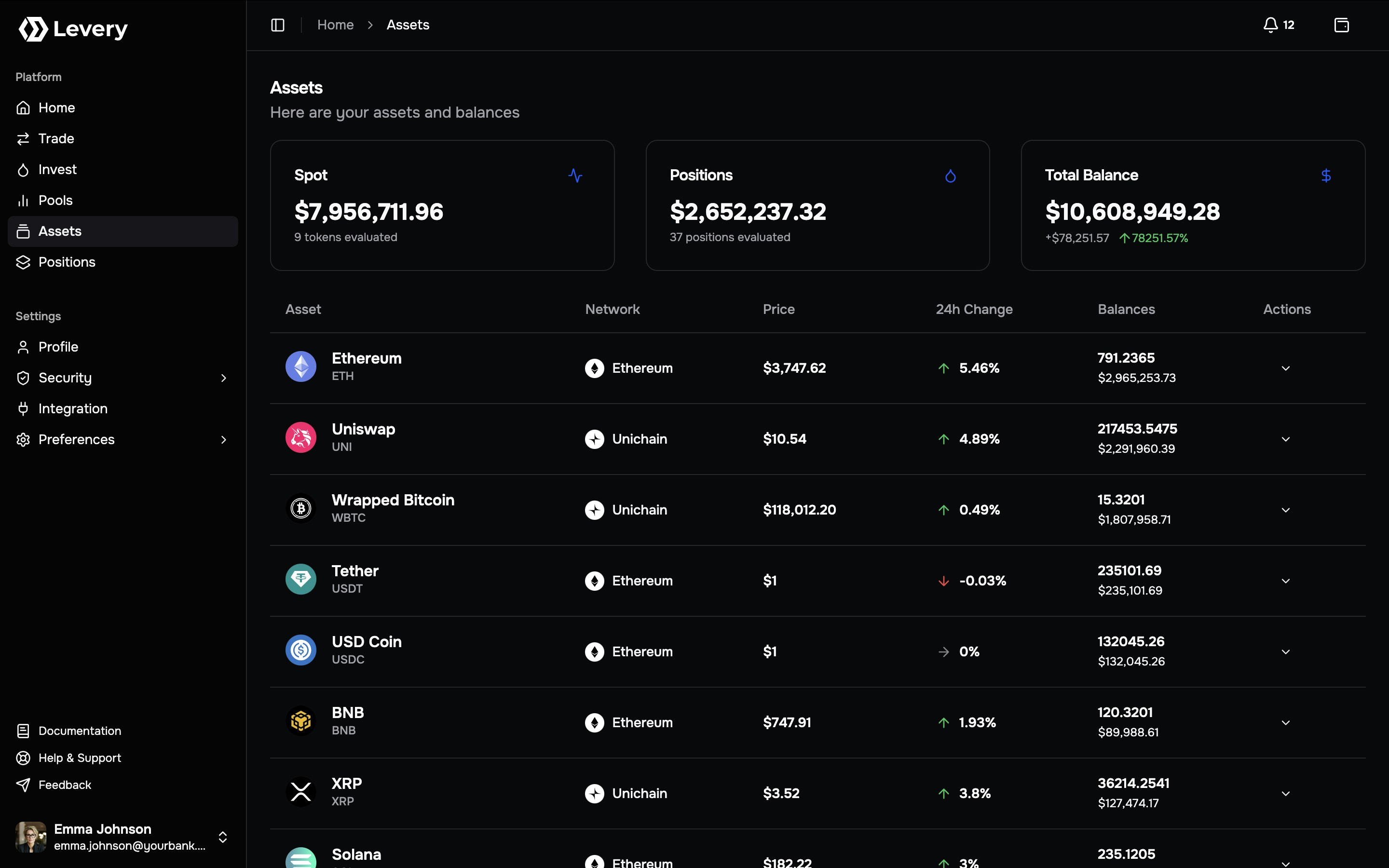
The Assets page is scoped to the selected account in the venue instance. Assets from external wallets that are not
indexed into the venue instance do not appear in these aggregates.
Summary cards
Positions
Aggregated valuation of liquidity positions across evaluated chains. The value includes accrued LP fees owed when available.
Spot
Aggregated valuation of spot token balances across networks, computed price for each asset and summed at the portfolio
level.
Total Balance
Combined valuation computed as
Spot + Positions, displayed in the configured reporting currency for the selected account.Asset inventory table
Each row represents a single asset symbol present in the venue instance’s asset catalog. Rows are ordered by spot value (highest first) and act as navigation entries to the asset detail view.Columns
- Asset: Asset identity (icon, name, symbol).
- Price: Latest price for the symbol, displayed in the reporting currency.
- 24h Change: Price-only percentage change relative to a 24-hour reference point.
- Balances: Spot valuation and the aggregated token amount (human units).
- By Network: Per-chain breakdown of balances and valuations.
Asset navigation
Selecting a row opens the asset detail’s page.By Network breakdown
The By Network control expands a per-chain breakdown for the asset. This view supports reconciliation of the portfolio-level balance back to chain-level amounts. Typical fields:- Chain name (as configured in the connected chain set)
- chainId
- Per-chain valuation
- Per-chain token amount (human units, using the asset decimals)
Operational usage
Portfolio review
End users typically rely on the top tiles to establish:- overall portfolio value (Total Balance),
- token inventory exposure (Spot),
- liquidity provisioning exposure (Positions).
Reconciliation and audit workflows
Operations teams can reconcile totals by walking down the screen:- Use the asset list to identify symbols driving spot valuation.
- Expand By Network to validate per-chain amounts and values.
- Use Positions as the consolidated reference for liquidity valuation across evaluated chains.